PDF lettered list to Markdown
A PDF lettered outline such as a) b) c) is renumbered from 1. A sentence that only mentions a) stays a sentence.
One letter, then a period or a parenthesis
A lettered outline in a PDF is a line of text that happens to start with a letter. This converter treats it as an ordered list when three things are true at once. The line starts with exactly one ASCII letter. The next character is a period or a closing parenthesis. A space follows, and the words after that space are more than one character. The whole line must also be shorter than 120 characters. The letter itself is thrown away. A counter, shared with ordinary numbered lines, writes 1. then 2. and so on.
Both a) and b. match. The test does not care whether the outline used parentheses or periods, and it does not care about capital or lower case. It does not keep a nested outline. A line that starts with two letters, such as a roman numeral IV., fails the one-letter test and is not given a number by this rule. A line that only mentions a) later in the sentence fails because the letter is not at the start.
Steps
- Drop letters.pdf on the converter. Leave all four option checkboxes on and leave the page boxes empty.
- Read the numbered list. The letters a, b, and c are gone, and the items are 1, 2, and 3.
- Find the sentence that contains a) in the middle. It stays a sentence, and the next lettered line starts again at 1.
- If you needed the original letters, put them back in the Markdown box. The converter will not restore them.
Worked example
The sample letters.pdf is one page. The title Morning outline is 18 point. The outline lines and the closing sentence are 12 point. The markers in the file are a), b., c), and later A. Options used: Detect tables on, Strip repeating headers and footers on, Rejoin hyphenated line breaks on, Merge broken paragraphs on, From page and to page empty. This is the Markdown:
# Morning outline

1. Shade the north gauge
2. Read the south gauge twice
3. Write both numbers in the log

See item a) in the logbook after lunch.

1. Capital label that looks like a heading

The outline ends with a normal sentence about the logbook.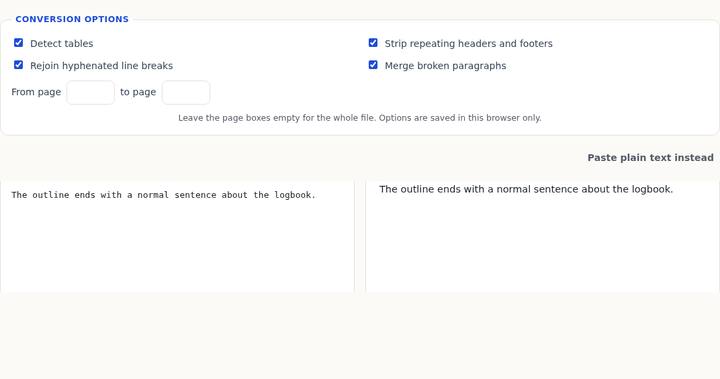
a) and b. and c) became one list even though the punctuation differs. The sentence See item a) in the logbook after lunch. is not an item. It contains a), but not at the start, and it ends with a period, so it is body text. Any non-list line resets the counter. The next matching line, A. Capital label that looks like a heading, is therefore 1. again, not 4.
That capital line is also not a heading. Heading detection runs only after the letter test fails. A line that already matched a letter, a period or parenthesis, and a space is emitted as a list item and never reconsidered as a heading, even when you wanted the capital to mark a section. On this page the line is 12 point, the same size as the body, so font size would not have made it a heading anyway. The order of the tests is still the rule to remember when a larger lettered line shows up in a real file: the letter wins, and you get a number.
What the four checkboxes do not change
The letter test does not look at Detect tables, header stripping, hyphen repair, or paragraph merge. Tables are skipped when the first cell looks like a lettered item, so an outline is not turned into a one-column table, but the numbering itself is the same with Detect tables off. Merge joins wrapped body lines. It does not put the original letter back, and it does not continue the counter across the sentence in the middle of this file. The page boxes were empty, so the only page was read. There is no option labeled “keep outline letters.”
If the outline used wrapped lines under each letter, the same split you see on bullet items applies. The letter line closes as soon as it matches. A following line that is only the rest of the sentence becomes the next paragraph, not the tail of item 1. The sample lines here are short on purpose, so each item is a single visual line and the split does not arise. A long legal outline often does wrap. Read the line under the number before you trust it.
Common mistakes
Pasting the Markdown into a document that cites “item (c)” and finding only item 3. The letter c is not in the output. If the downstream note depends on the letter, edit the source box and write the letter back before you download. The preview will show the number you leave there. This tool’s preview does not render a special outline style.
Assuming the counter runs through the whole page. It does not. The sentence between the two groups resets it. Two separate lettered groups become two lists that each start at 1. That is what A. Capital label that looks like a heading demonstrates. If you wanted 4, change the digit in the box.
Expecting A. Capital label that looks like a heading to follow the title as a second heading. It is list item 1 of a new list. Add a hash yourself if it should be a heading, and delete the 1. the converter wrote. The headings guide explains when font size, rather than a leading letter, is what creates a hash.
A line of only a) with nothing after the space, or with a single character after it, does not match. The words have to be longer than one character. A very long line, 120 characters or more, also does not match, even if it starts with a). Those lines stay body text. The sample items are all well under that length.
Questions
Does b. with a period match the same way as a)?
Yes. The sample uses both. b. Read the south gauge twice became item 2, in the same list as the parenthesis lines around it.
Will IV. Methods become item 4?
No. The test accepts one letter, not two. A roman numeral with two or more letters before the period is not this pattern. It can still become a heading if it is short and the font is larger than the body. That decision is the headings rule, not the letter rule.
Can I keep the letters a, b, and c automatically?
No. The output numbers replace them. Put the letters back by editing the Markdown, or leave the numbers if a normal ordered list is what you wanted.