PDF lines without bullets become a list
Three short PDF lines with no bullets and no larger heading become a Markdown list. One short line becomes a heading.
This rule runs only when font size has nothing to say
When a PDF uses a larger size for titles, this converter builds headings from that size and does not invent bullets from line length. The other path is the one that surprises people. If no size is clearly larger than the most common size, there is no size profile. “Clearly larger” means at least about 12 percent above the body size. A file set entirely in 12 point never qualifies. With no profile, short lines are classified by shape instead.
A short line is at most 58 characters, does not end with a period, comma, colon, semicolon, question mark, or exclamation mark, is not only digits, and has at most nine words. Three or more of those lines in a row, without a wide vertical gap between them, become a Markdown dash list. One short line on its own, with a gap before it or with a long line after it, becomes a heading. The first such heading in the file is a single hash. Later ones are two hashes. Nothing on the page has to look like a bullet for either decision.
Steps
- Drop plainlines.pdf on the converter with the four option checkboxes on and the page boxes empty.
- Read the Markdown. Oats, Rice, and Lentils are a dash list even though the PDF has no bullet glyph.
- Find the single short line Salt. It is a level-one heading, not a fourth list item.
- Turn all four checkboxes off and convert again. The list and the heading are unchanged, because no checkbox disables this rule.
- If the words should stay plain lines, delete the dashes in the Markdown box. If Salt should not be a heading, delete the hash.
Worked example
The sample plainlines.pdf is six lines, all Helvetica 12 point. There is no title, no bullet, and no number. Oats is at y 720, Rice at y 704, Lentils at y 688. The gap is 16 points. At 12 point type a new paragraph starts around 1.7 times the font size, about 20 points, so those three lines are not separated. A longer sentence sits at y 650. Salt sits at y 600, and a last sentence sits at y 560. Options for the first run: Detect tables on, Strip repeating headers and footers on, Rejoin hyphenated line breaks on, Merge broken paragraphs on, From page and to page empty. This is the Markdown:
- Oats
- Rice
- Lentils

These three names sit on separate lines with no bullet glyph at all.

# Salt

A later sentence follows the single short line and should stay a paragraph.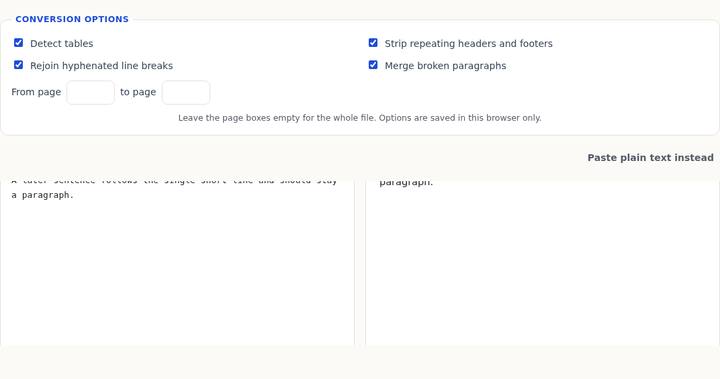
The three names are a run of three short lines, so they become the list. The long sentence is not short, so the run stops. Salt is one short line. The gap above it is 50 points, which is wide, and the next line is long, so Salt becomes a heading. It is the first heading in the file, which is why the hash is single. The last sentence is ordinary body text.
The same file converted with all four checkboxes off is the same Markdown. Detect tables has no second column to find. There is no repeated header and no page number. There is no hyphen to rejoin. Merge does not apply to lines that have already been taken as a list or a heading. Unchecking the boxes is the obvious thing to try, and on this file it changes nothing. The fix is in the source box: delete the dashes, or delete the hash, or both.
The same words with a real title stay headings
The contrast is headings.pdf, which is already used by the headings guide. Kitchen Inventory is 22 point, Dry goods and Tools are 16 point, and the sentences are 11 point. A size profile exists, so the short-line list rule does not run. The Markdown is headings and paragraphs, not a dash list of the short labels:
# Kitchen Inventory

## Dry goods

Oats, rice, and lentils are stored in metal tins on the low shelf.

## Tools

The small scale sits beside the kettle and is checked each Monday.
Dry goods is a short line with no bullet, just like Oats. It becomes a heading because a larger size exists on the page, not because of the word. If your file grew a title in a bigger font, a stack of short labels that used to come out as a list can come out as headings instead. That is the same classifier, taking the other branch. It is not a random change in a later version of the page.
Common mistakes
Searching the PDF for a bullet character you cannot find, then concluding the converter invented a list from nothing. It used the line shape. plainlines.pdf has no bullet glyph in the text layer. The dashes are new. They are also easy to remove, because they are only characters in the box.
Adding Salt to the list by hand in the wrong direction. Salt was kept out of the list because it is a single short line after a gap, not because the converter ran out of items at three. A fourth name placed 16 points under Lentils, with no long line in between, would have joined the run. A name placed far below a paragraph becomes a heading instead. Move the line in the PDF, or edit the Markdown, depending on which result you wanted. The converter will not offer a third choice.
Putting a period on a label to “keep it from being a heading” and then wondering why a group of labels also stopped being a list. A terminal period disqualifies the short-line test. The line falls through to body text. That can be what you want for Salt. It also breaks a run of three, because a line with a period is not short for this rule. Look at the punctuation before you add it.
Confusing this with a real bullet glyph. A round bullet, a middle dot, or an en dash at the start of a line is matched even when the page does have a larger title. That path is described in the bullet-points guide. plainlines.pdf is the case with no glyph at all.
Questions
Why did three lines become a list but Salt became a heading?
Three or more consecutive short lines become a list. One short line becomes a heading when it has a wide gap before it or a long line after it. Salt is one line, 50 points below the previous sentence, and the next line is long.
Will a bigger title on the same page stop the invented list?
Yes. If any size is about 12 percent larger than the most common size, headings come from font size and this short-line list is not used. headings.pdf is that case. plainlines.pdf is not, because every line is 12 point.
Which checkbox turns the invented dashes off?
None. All four off still returns the dashes and the hash. Edit the Markdown. The preview updates from the box, and the download uses whatever you leave there.